Gallery photo: Gallery lock5.36
Publisher Description


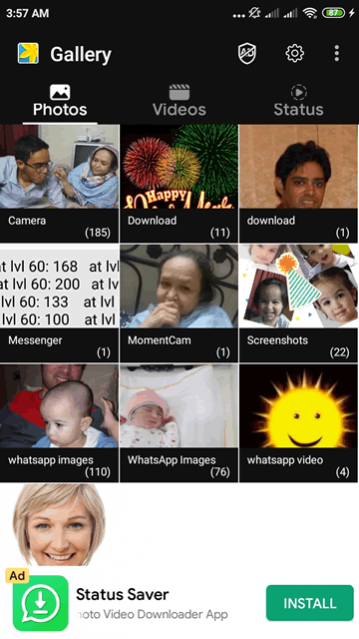
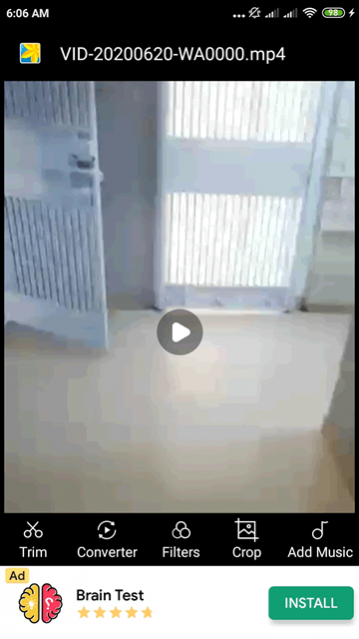
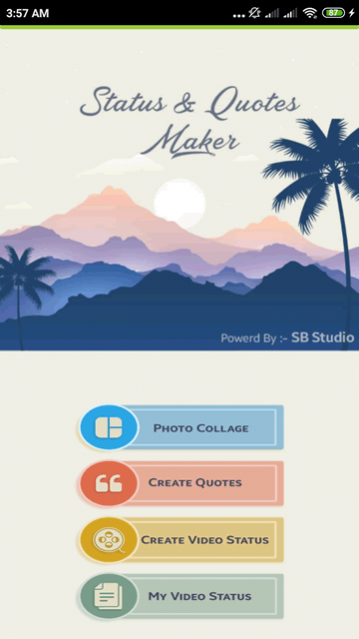
Lock your photos & videos in gallery, easily manage albums, hide photo viewer.
Gallery Photo: Gallery Lock – Lock Photos, Organize Albums & Secure Your MemoriesGallery Photo: Gallery Lock
is a powerful
photo gallery
and
photo album
app designed to protect your privacy, organize
pictures
, and manage your media efficiently. Whether you want to
hide photo
content, create secure
albums for pictures
, or browse your
gallery photos
and
gallery videos
, this all-in-one
gallery app
is built for seamless use and ultimate security.
With smart features like
photo viewer
,
photo lock
,
photo rotate
, and
gallery design
, managing your
gallery image
library becomes effortless. It’s more than just a
gallery manager
—it’s your personal
picture manager
, private vault, and creative toolkit.
🔐
Secure Your Photos with Gallery Lock
• Lock
photos
and
gallery pictures
with PIN
• Use private folders to
hide pictures
from prying eyes
• Protect your content in a
safe gallery
• Establish security questions for unlocking your
photo gallery
📂
Gallery App Features You’ll Love
• Create and manage unlimited
photo albums
,
albums gallery
, and
book gallery
• Sort and filter
gallery photos
and
photo saved
media by name, date, or size
• Browse in full-screen mode using the built-in
photo viewer
and
photo viewing
options
•
Gallery photo lock
ensures privacy for sensitive media
• Compatible with all formats: JPG, PNG, GIF, SVG, BMP
🎨
Photo Collage Maker & Quote Editor
• Use the
photo collage maker
to create custom layouts
• Add motivational or love quotes using the
picture quote creator
• Elevate your media with trendy
gallery design
templates
• Set
pictures
as wallpapers or lock screen images
• Express creativity with meme generation and poster design
🧹
Smart Tools: Duplicate Cleaner & Recovery
• Auto-detect and delete duplicate
gallery images
or
photos
• Recover lost files from
gallery recycle bin
• One-tap restore of deleted
pictures
and
gallery videos
• Keep your device clutter-free and optimized
🌙
Custom Themes & Dark Mode
• Enable
dark mode
for a modern, eye-friendly interface
• Personalize the layout of
photo galleries
and
albums gallery
📌
All-in-One Picture Manager
• Create
photo gallery
folders easily.
• Save new media with
photo share
or
photo saved
options
• Manage
albums
with fast performance and intuitive UI
• Use
photo rotate
, zoom, and crop tools for edits
Whether you're editing
pictures
, managing
photo albums
, or locking your
photo viewer
,
Gallery Photo: Gallery Lock
is your trusted partner. With features tailored for privacy, style, and performance, this
gallery manager
helps you focus on what matters—your memories.
Download
Gallery Photo: Gallery Lock
now and experience the smartest way to organize, secure, and enjoy your
gallery
.
About Gallery photo: Gallery lock
The company that develops Gallery photo: Gallery lock is SB studio. The latest version released by its developer is 5.36. This app was rated by 43 users of our site and has an average rating of 3.6.
To install Gallery photo: Gallery lock on your Android device, just click the green Continue To App button above to start the installation process. The app is listed on our website since 2026-08-19 and was downloaded 1,195 times. We have already checked if the download link is safe, however for your own protection we recommend that you scan the downloaded app with your antivirus. Your antivirus may detect the Gallery photo: Gallery lock as malware as malware if the download link to com.threestar.gallery is broken.
How to install Gallery photo: Gallery lock on your Android device:
- Click on the Continue To App button on our website. This will redirect you to Google Play.
- Once the Gallery photo: Gallery lock is shown in the Google Play listing of your Android device, you can start its download and installation. Tap on the Install button located below the search bar and to the right of the app icon.
- A pop-up window with the permissions required by Gallery photo: Gallery lock will be shown. Click on Accept to continue the process.
- Gallery photo: Gallery lock will be downloaded onto your device, displaying a progress. Once the download completes, the installation will start and you'll get a notification after the installation is finished.
Program Details
System requirements
Download information
Pricing
Version History
version 5.36
posted on 2026-08-19
This update includes bug fixes and performance enhancements for a smoother, more reliable gallery experience.
version 5.29
posted on 2026-05-25
Bug fixes and Improve efficiency, faster to browse photos
version 5.15
posted on 2025-08-05
📸 What's New in This Update:
🛠️ Fixed sorting issues for photos
📂 Resolved SD card storage problems with copy & move functions
📥 Added support to open photos in third-party apps
⚡ Improved speed — browse your photos faster than ever
🐞 Fixed major bugs reported by users for a smoother experience
version 4.94
posted on 2025-05-12
- Several bugs fixed, more user-friendly
- UI improvements with interaction optimization
version 4.85
posted on 2024-09-25
- Bug fixes and performance improvements.
- Enhanced stability for a smoother user experience.
Update now to enjoy the latest version! Thanks for Using Gallery!
version 4.68
posted on 2024-04-11
Smoother start-up.
Performance Improvement.
Preview screen for seamless photo & video editing.
version 4.57
posted on 2024-02-20
Improved performance and fixed bugs, faster to browse photos
version 4.50
posted on 2023-12-26
We've updated the app to fix crashes and make features load faster.
version 4.39
posted on 2023-11-09
Issue fixed on downloading assets. Fixed bug of loading ads.
